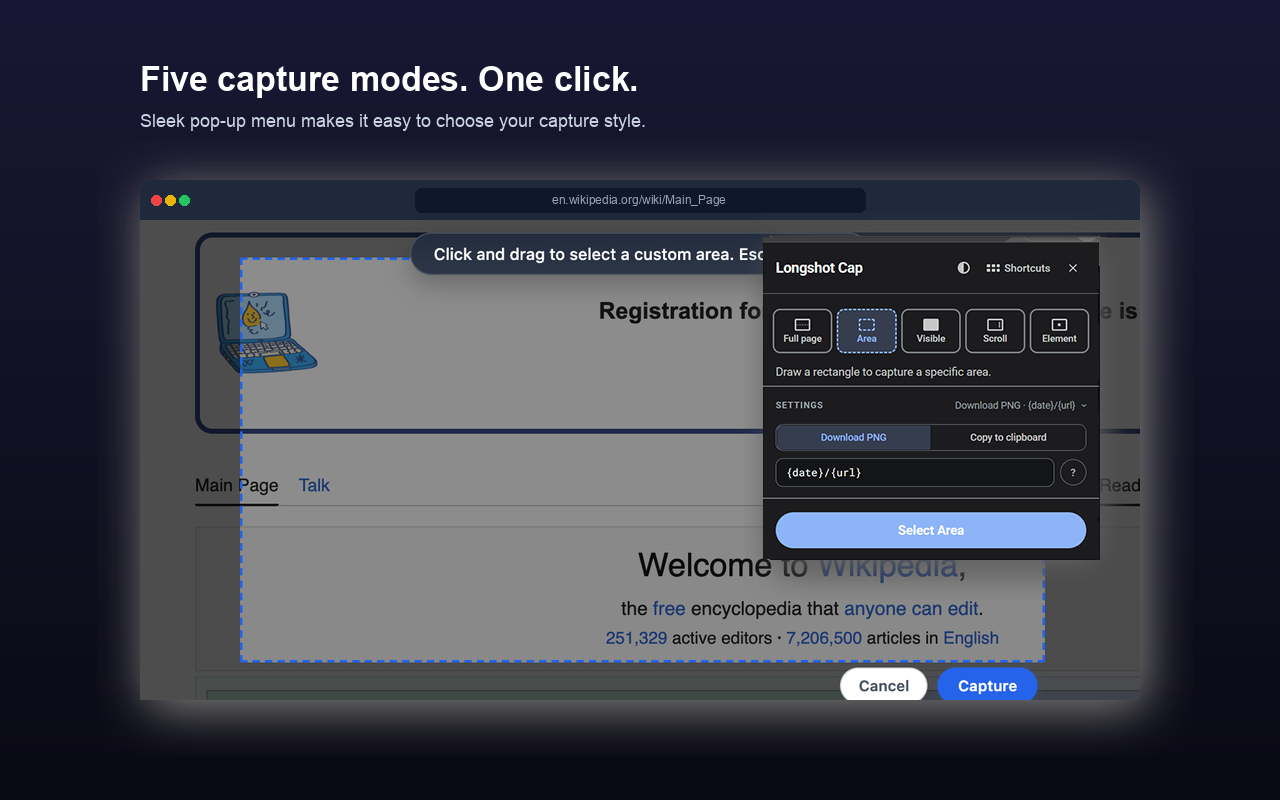
Finally, scrolling screenshots that don't crop or blur. Capture full height pages, nested scrollable panels, or specific DOM elements instantly. Stitched locally into crisp, high-fidelity PNGs.
A feature-packed capture tool designed for designers, developers, and power users who need exact screenshots without the hassle.
Scrolls tall documents automatically and stitches every screen frame together natively. Captures entire scroll heights with pixel accuracy.
Hover and select individual nested divs, feeds, or sidebars that contain their own scrollbars. Captures the full scroll height of just that container.
Hover to highlight elements with a green overlay, or query a direct class/ID selector. Perfect for capturing clean components or charts.
All canvas processing and page rendering happens locally in your browser sandbox. No servers, no tracking, and no telemetry.
Choose whether to Freeze, Hide, or Keep floating widgets and fixed headers. Avoid repeating overlapping navbars in long scrolls.
Keep your screenshots folder organized. Auto-generate nested directories per domain and sort images with dated placeholders.
Trigger any capture mode directly from your keyboard without opening the extension menu. Uses your last active output settings (Download or Copy).
* Note: On macOS, shortcuts map to Opt instead of Alt.
Use native path brackets to organize screenshot files on-the-fly:
| Placeholder | Replaced With | Example Output |
|---|---|---|
{date} |
Capture Date (YYYY-MM-DD) | 2026-07-09 |
{timestamp} |
Unix epoch time | 1783643028 |
{domain} |
Webpage domain name | wikipedia_org |
{url} |
Domain name and path | angry-bee_com_products_longshot-cap |
{title} |
Page Title | Getting Started |
{mode} |
Capture preset keyword | fullpage |
Example: {date}/{domain}-{mode} creates a date-labeled folder containing wikipedia_org-fullpage.png.