Extension Interface in Action
See how Speak My Vibe integrates seamlessly into your browsing workflow as a lightweight Google Chrome side panel.
Explain technical jargon, dense financial reports, or complicated academic papers instantly using Chrome's built-in on-device AI. 100% private, with integrated Text-to-Speech narration.
See how Speak My Vibe integrates seamlessly into your browsing workflow as a lightweight Google Chrome side panel.
We integrated a high-performance locally running AI structure so that you can browse securely without sending queries to remote web servers.
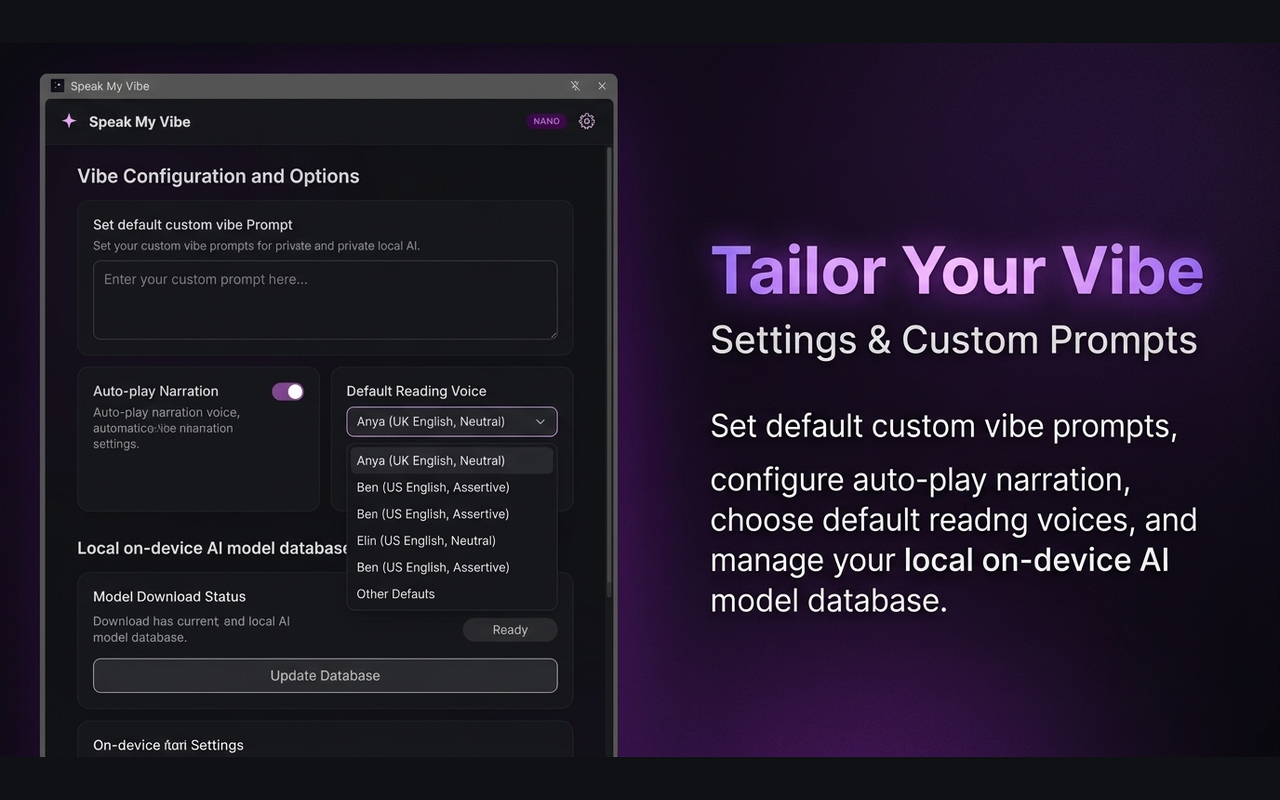
All explanations are created in-browser via Gemini Nano. Your selected text and inputs never leave your physical computer.
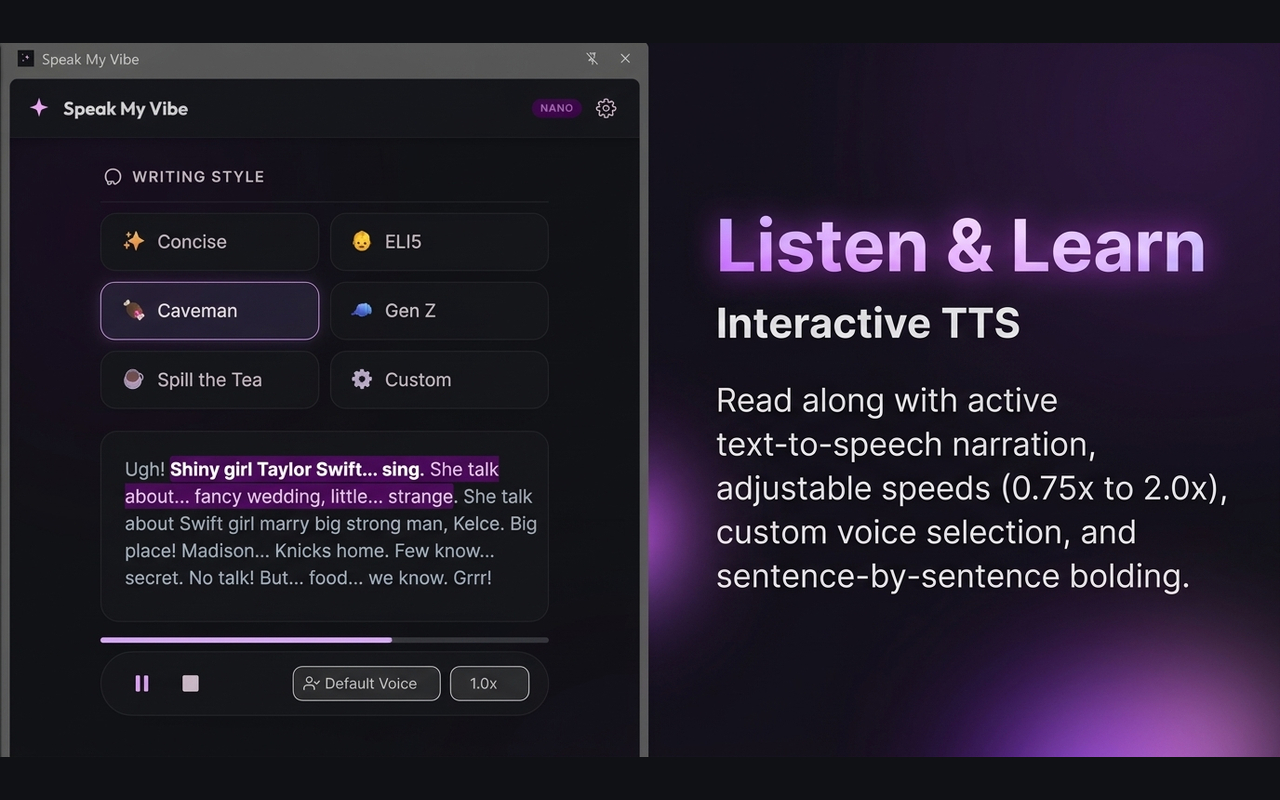
Integrated text-to-speech audio control bar to read summaries aloud. Select default system voices and adjust playback speed.
Stay focused and read along effortlessly as the actively spoken sentence is highlighted and bolded while others are dimmed.
Direct settings dashboard to view, download, update, or completely delete the local Gemini Nano model database files.
High-resolution previews of the extension active in the Google Chrome browser.
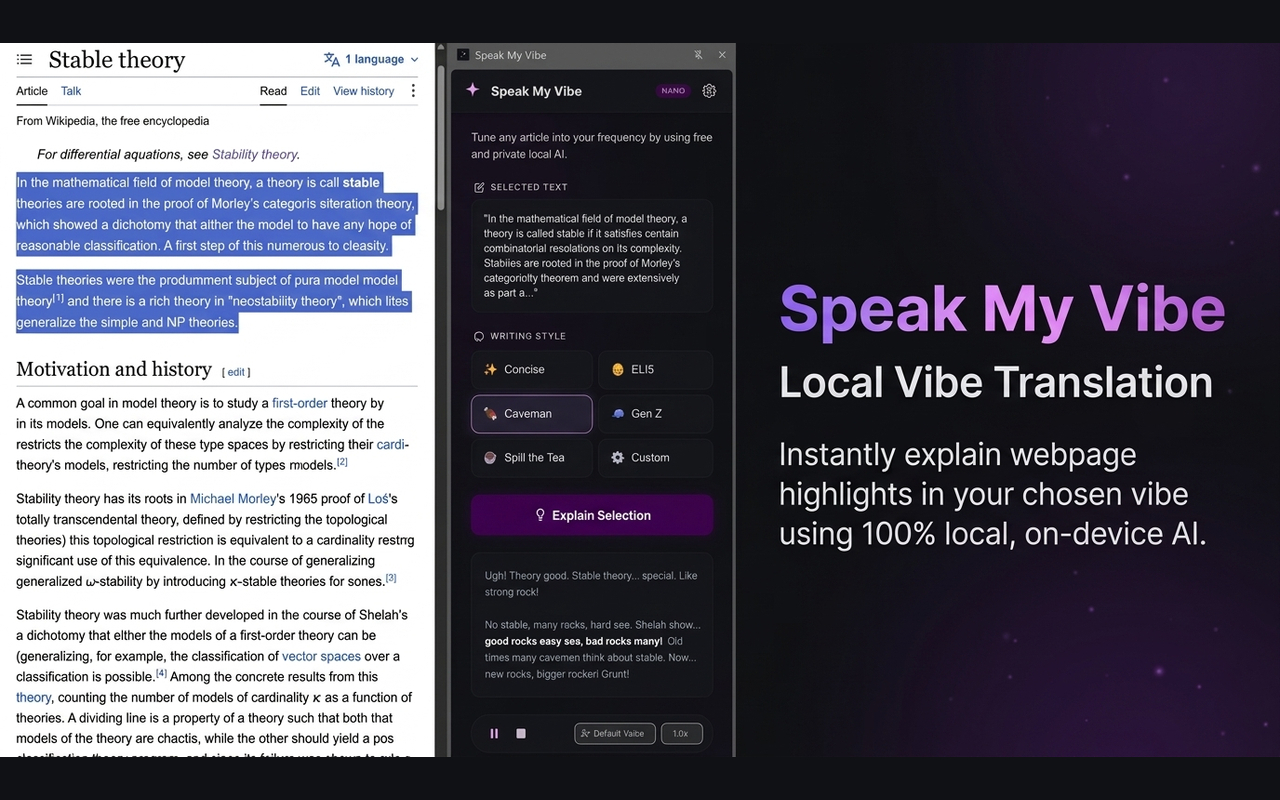
Highlight any paragraph, mathematical formula, or report block you want explained.
Click the Speak My Vibe toolbar icon. The selected text is imported automatically.
Choose ELI5, Caveman, Gen Z, or Gossip presets — or input your own custom prompt instruction.
Follow along visually with sentence-by-sentence text bolding or play the narration aloud.
Speak My Vibe runs entirely locally. Because it does not send queries to remote web servers, you must enable Chrome's experimental on-device AI flags:
⚠️ After enabling these flags, restart Google Chrome. The browser will automatically download the 450MB Gemini Nano model database locally.
Speak My Vibe is an open-source, privacy-first local AI project. If you like the tool, support the developer by buying them a coffee!
☕ Buy me a coffee